Give every team the right card and the right budget

Issue virtual corporate cards to employees and departments, assign card balances, set transaction and monthly spending limits, manage member permissions, and track team spending in real time from one dashboard.

Manage employee cards, balances, and spending in one place.

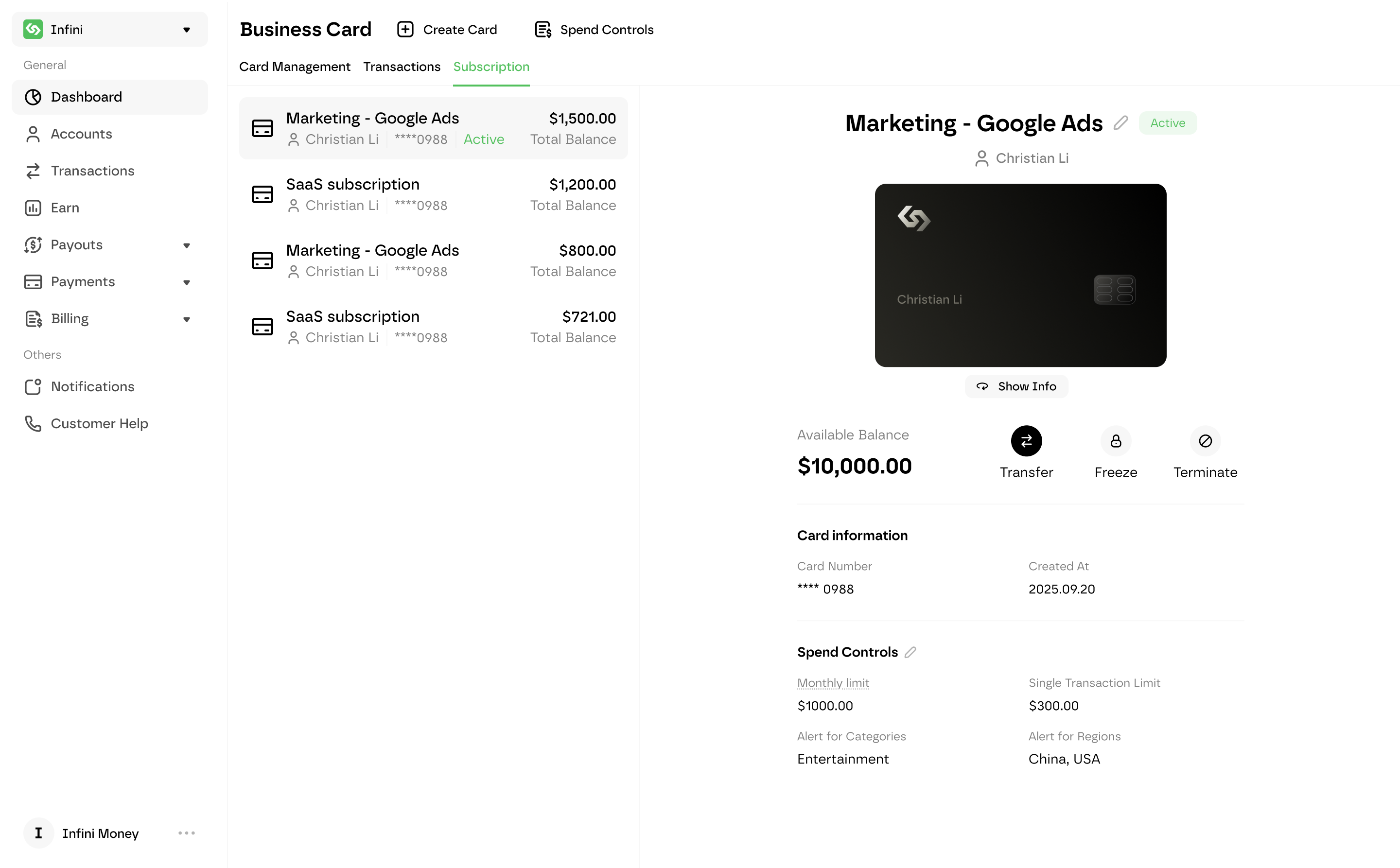
Invite team members, assign virtual corporate cards, set spending limits, automate card funding, and monitor every team transaction from one dashboard.

Simplify employee card and spending requests.

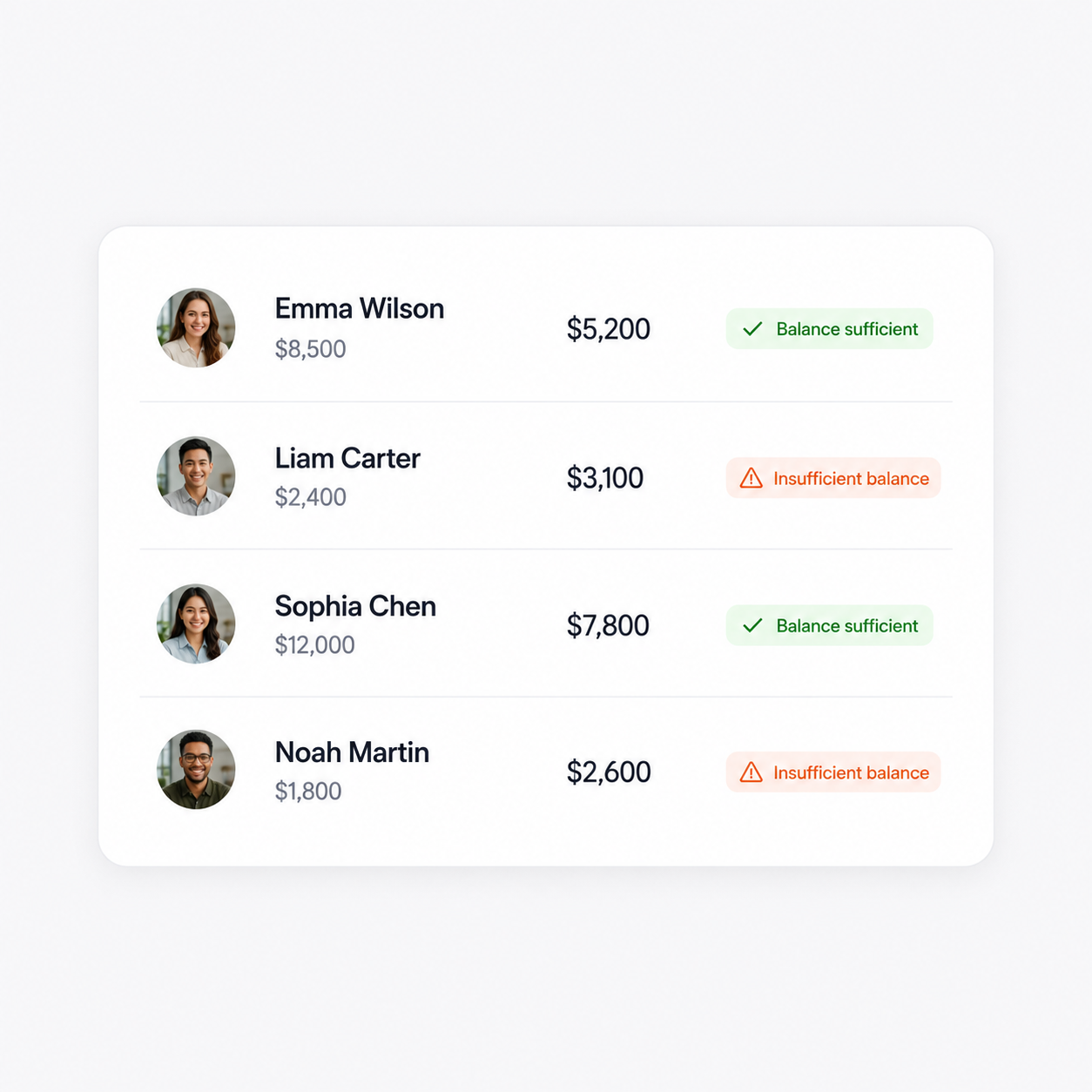
Employees can submit requests for new virtual corporate cards or additional spending limits based on their business needs. Authorized administrators can review each request, confirm its purpose, approve or reject it, and assign the appropriate card balance from one dashboard.

Explore employee card approvals →
Simplify employee card and spending requests.

Give every employee the right card for their work.

Invite team members to your Infini organization, assign roles and permissions, and create dedicated virtual corporate cards for individual employees or specific business purposes. Choose the cardholder, name each card by team or use case, and allocate an initial balance when the card is created.

Explore virtual corporate cards →
Give every employee the right card for their work.

Set clear spending limits before purchases happen.

Define monthly and per-transaction limits for each employee card. Transactions that exceed the configured limit are automatically declined, helping finance teams keep spending within approved budgets.

Set clear spending limits before purchases happen.

Keep recurring business payments funded automatically.

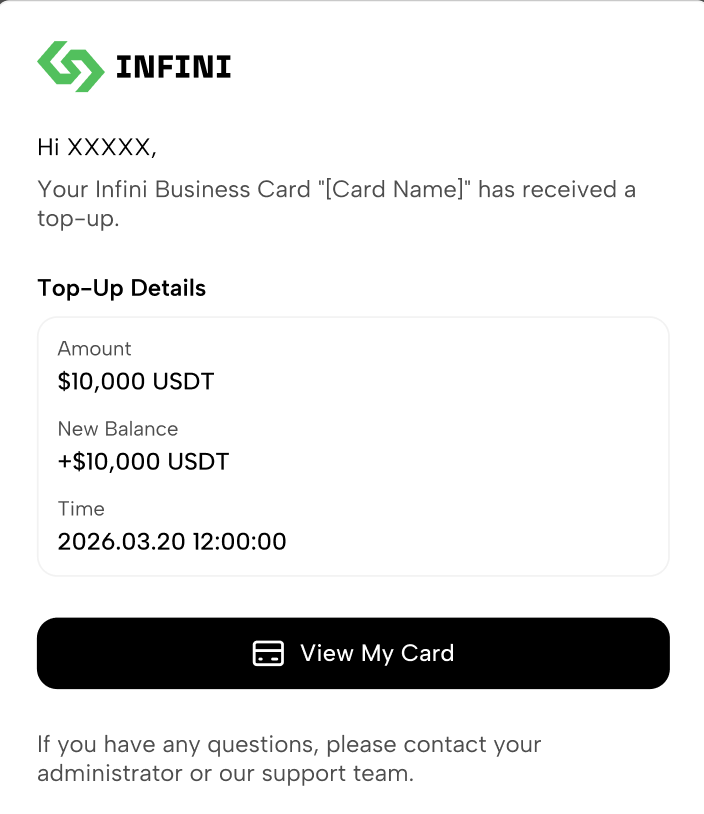
Schedule monthly top-ups for cards used for SaaS subscriptions, advertising, cloud services, and other recurring expenses. Set low-balance thresholds and receive email alerts before available funds run out.

Explore stablecoin-funded corporate cards →
Keep recurring business payments funded automatically.

See every team transaction and act in real time.

Administrators can review transactions and subscriptions across all corporate cards, while employees can access activity for the cards assigned to them. Lock a card temporarily, terminate it when an employee leaves or a project ends, and redeem unused card balances back to the main business account.

See every team transaction and act in real time.

Customize employee card limits and controls.

Set clear spending limits, review employee requests, automate recurring card funding, and stay in control throughout every card’s lifecycle.

Customize employee card limits and controls.

Monthly spending limits

Set a maximum monthly budget for each employee or team card. Transactions that exceed the available monthly limit are automatically declined.

Maximum transaction amounts

Define the maximum amount allowed for a single transaction and automatically decline payments that exceed the configured limit.

Lock, close, and recover card funds

Temporarily lock a card when suspicious activity occurs, permanently close it when an employee leaves or a project ends, and return unused card balances to the main business account.

Employee card and limit requests

Let employees request a new virtual corporate card or additional spending limits based on their business needs. Administrators can review the purpose, approve or reject the request, and allocate the appropriate balance from one dashboard.

Automatic monthly top-ups

Schedule recurring transfers from the main business account to cards used for SaaS subscriptions, advertising, cloud services, and other predictable expenses.

Low-balance alerts

Set a balance threshold for each employee card and receive email notifications before available funds run out, helping prevent recurring payments from failing.

Employee card and limit requests

Empower every team to spend with clear controls.

Give employees access to the funds they need through dedicated virtual corporate cards, while finance teams manage approvals, card balances, and spending limits from one dashboard.

SaaS and AI subscriptions

Create dedicated virtual cards for software subscriptions, AI tools, cloud platforms, and other recurring services. Assign each card to a clear owner, set a monthly limit, and receive alerts before the balance runs low.

Digital advertising

Issue separate employee or team cards for advertising platforms, accounts, and campaigns. Allocate budgets in advance and monitor spending across Meta, Google, TikTok, and other supported advertising merchants.

Department and project budgets

Create dedicated virtual corporate cards for departments, client projects, campaigns, or temporary initiatives. Assign cardholders, approve funding requests, and keep each budget separate and easy to track.

Employee business expenses

Give employees dedicated virtual cards for online purchases, travel bookings, team activities, and other approved business expenses. Employees can request cards or additional funds, while administrators review and control every request.

Leave bank in the old world

FAQ

Team card management allows businesses to issue virtual corporate cards to employees, assign cardholders and balances, set spending limits, and monitor card activity from one dashboard. It helps replace shared company cards and employee reimbursement workflows with controlled, traceable business spending.
Employees can submit requests for a new virtual corporate card or additional spending limits based on their business needs. Authorized administrators can review the request purpose, approve or reject it, and allocate the appropriate card balance from the Infini Business dashboard.
Yes. When creating a corporate card, an administrator selects a cardholder from the organization’s team members, names the card, and allocates an initial balance. Cards can be named by employee, department, project, or business purpose to make spending easier to identify.Explore virtual corporate cards →
Yes. Infini Business supports different organizational roles, including Owner, Member, Finance, Developer, and Administrator. Each role has different access to users, funds, financial data, settings, APIs, and corporate card information.
Administrators can set a monthly spending limit and a maximum amount for each individual transaction. Payments that exceed the configured limit are automatically declined; limits can also be left unset when no restriction is required.
Yes. Administrators can schedule a monthly top-up from the main business account to cards used for subscriptions, advertising, cloud services, and other recurring expenses. This helps reduce failed payments caused by insufficient card balances.
Yes. A low-balance threshold can be set for each corporate card. When the card balance falls below that threshold, Infini sends an email notification to the card administrator and cardholder.
Administrators can monitor transactions across the organization’s corporate cards, while ordinary members have limited access and can view basic information for cards assigned to them. Access depends on the member’s organizational role and permissions.
Yes. Administrators can temporarily lock a card to stop all transactions and unlock it later when needed. Cards can also be permanently closed when an employee leaves or a project ends; any remaining card balance is returned to the main business account after closure.
Yes. Administrators can redeem unused funds from an individual corporate card back to the main business account in real time. This allows businesses to reallocate funds when a budget changes or a card is no longer needed.